Table2Order — Merchant User Guide
For: store owner/manager, kitchen staff, cashier.
0) Key URLs (5 entrances)
- Store Login: https://table2order.com/login
- Config Console (menus / tables / staff / settings): https://table2order.com/admin
- Kitchen Workspace (to do / done): https://table2order.com/kitchen
- Front Desk Workspace (confirm / payment / clear / close day): https://table2order.com/cashier
- Customer Ordering Page: customers scan the table QR code (or open a link created from the QR code)
Sign in with the email and password used during registration. Android terminals can instead use a five-minute, one-time pairing code from Business Overview → Android Merchant App or the go-live wizard.
1) Create your store (first time only)
- Open https://table2order.com/login
- Click Create Store
- Fill in:
- Store name
- Country / region
- Password
- Click Create & Enter
You will be taken to Store Admin after a successful creation.
Open Get ready to go live and follow the five checks. It configures your operating scenario, creates table QR codes, pairs the Android terminal, tests real output/payment, and verifies one real order before the store is marked live.
2) Store Admin — Build your menu
You can build a menu in 3 ways:
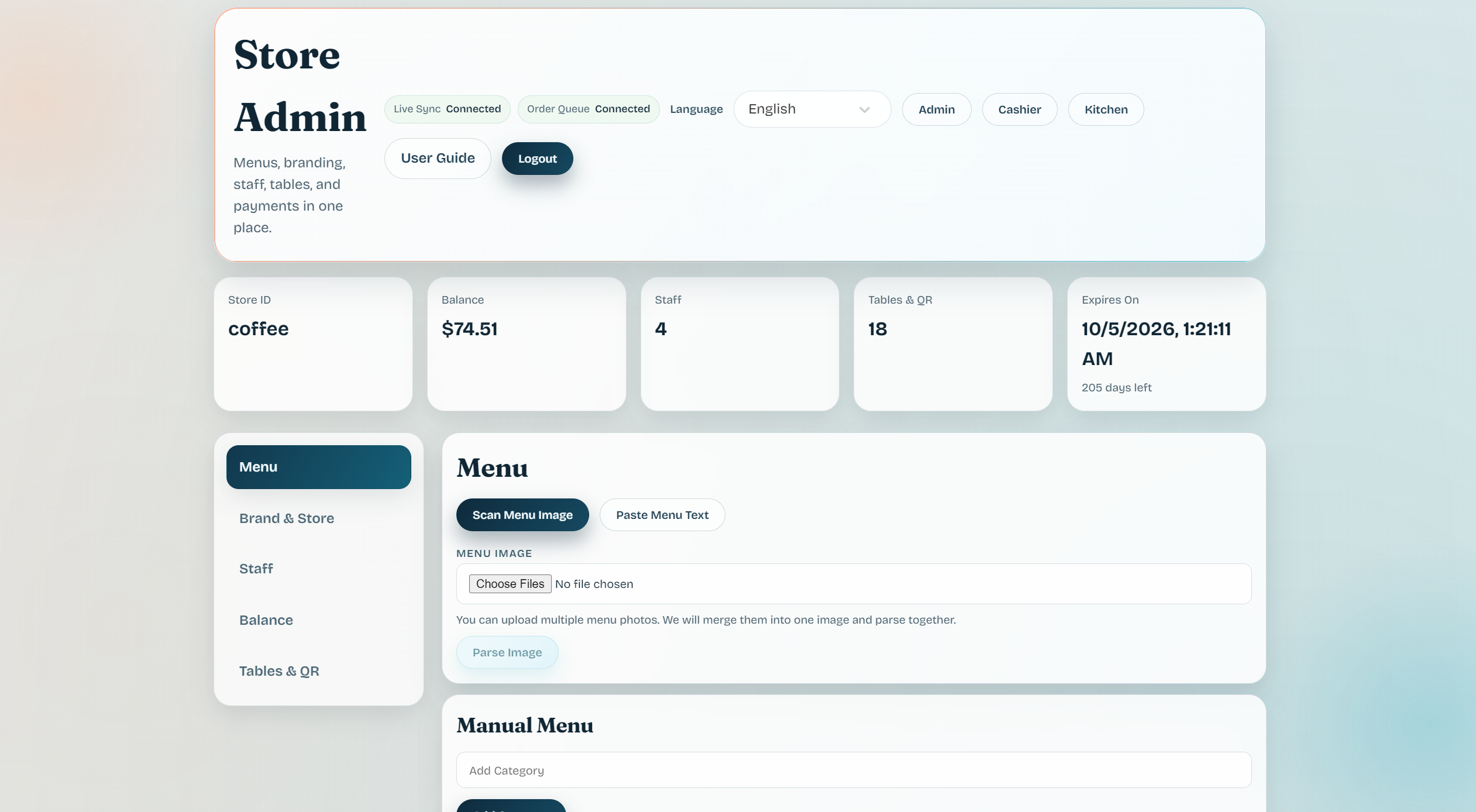
- Scan Menu Image (upload a photo)
- Paste Menu Text (copy & paste)
- Manual Menu (recommended to set up quickly and run a full end-to-end test)
2.1 Add categories & dishes (manual)
- In Manual Menu, type a category name (e.g. Drinks / Food / Desserts)
- Click Add Category
- Under that category, fill in dish:
- Name
- Price
- Description (optional)
- Click Add
Screenshot (Store Admin → Menu):
Click to view detail
3) Store Admin — Create tables & bind QR codes
3.1 Create a table
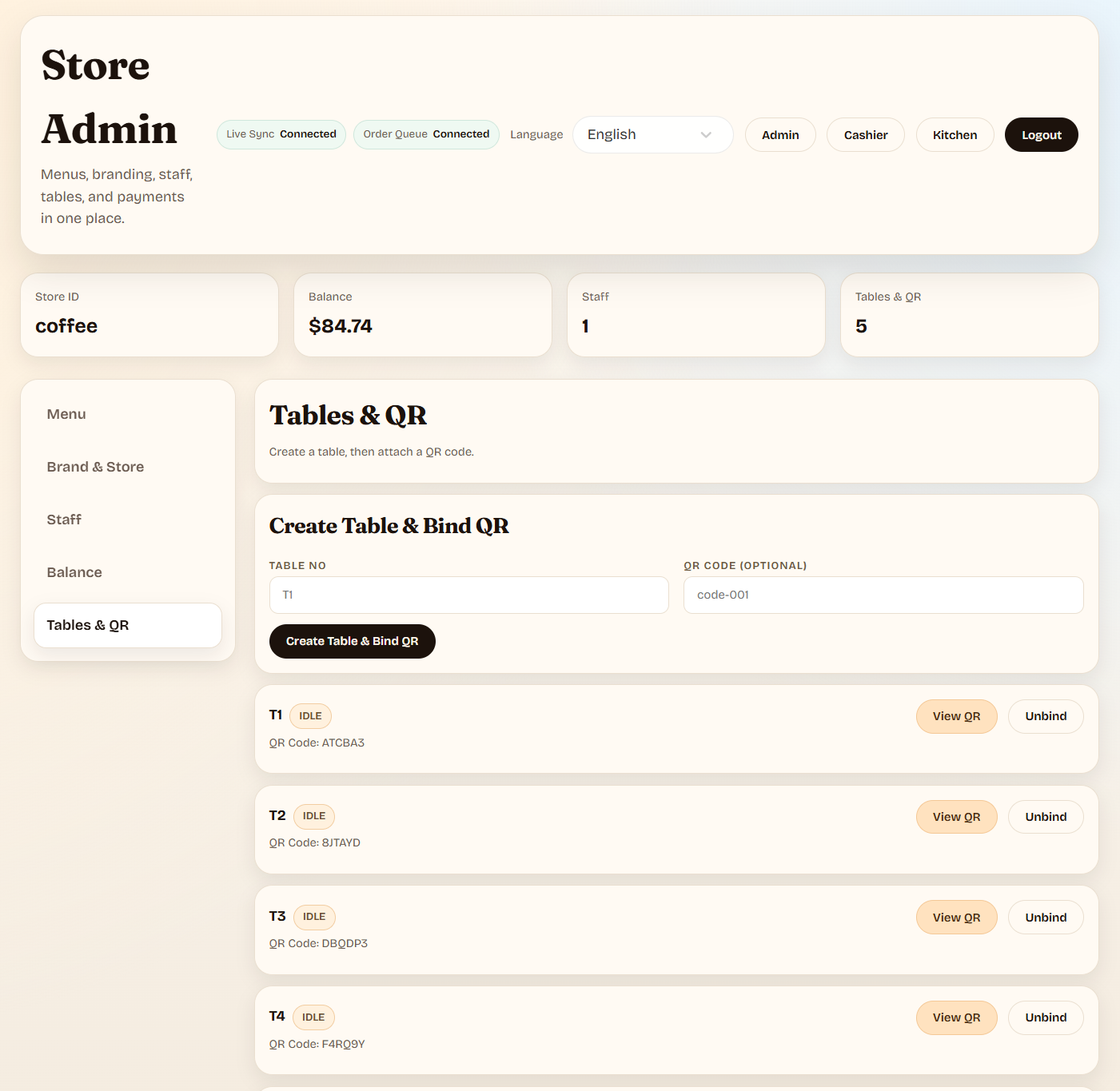
- Go to Tables & QR
- Enter Table No (e.g. T1 / 1 / A01)
- (Optional) enter a specific QR Code
- Click Create Table & Bind QR
3.2 Customer usage
- Put the QR code on the table.
- Customers scan it to open the ordering page.
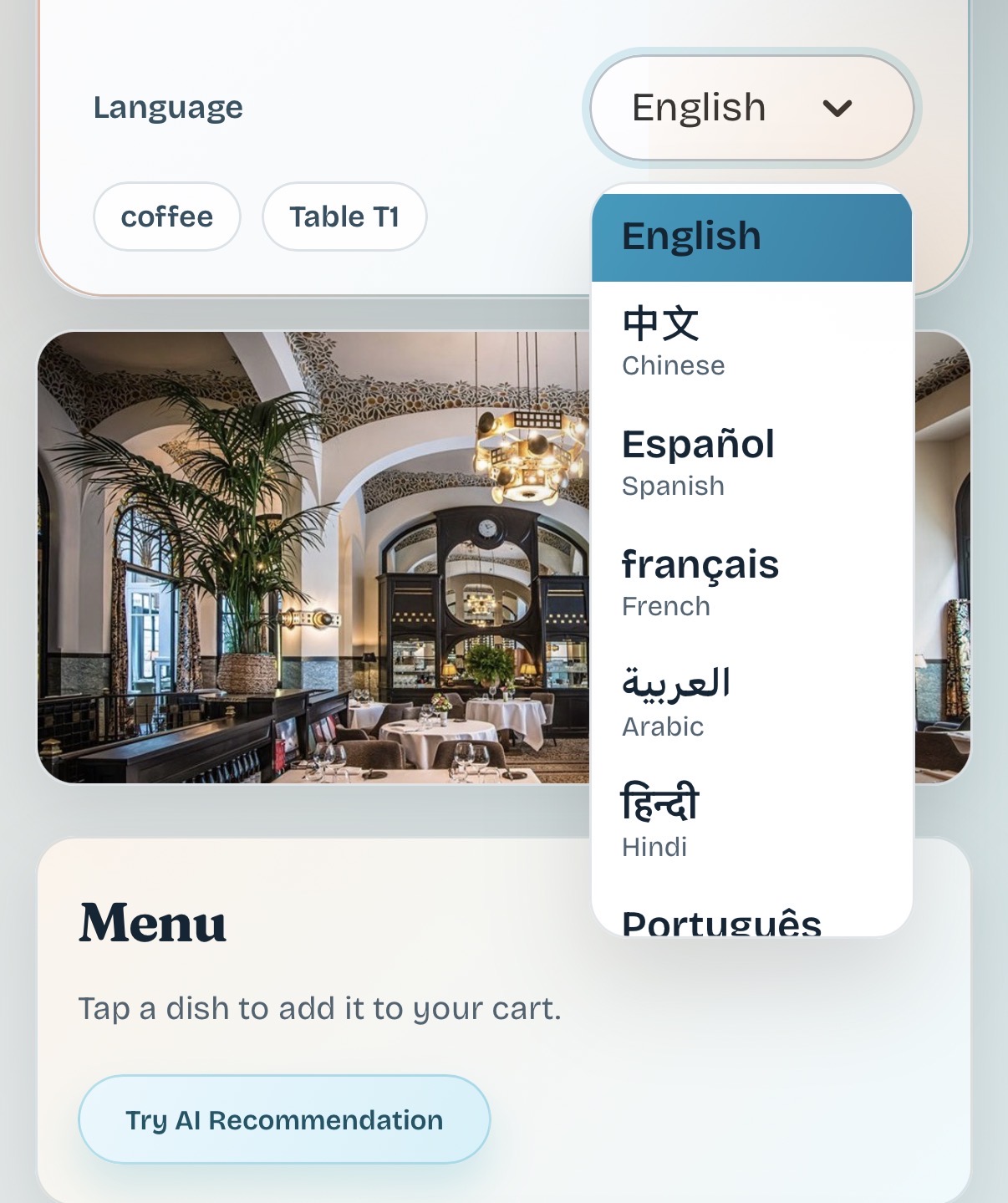
- The page shows Store Name + Table, so customers can verify they are at the right table.
Screenshot (Store Admin → Tables & QR):
Click to view detail
4) Customer side — Ordering & submitting orders
- Browse the menu and tap Add to add dishes to the cart
- Check items in Cart
- Tap Submit Order
- Track progress in Order Status (e.g. NEW_ITEM → COOKING → READY)
Screenshot (Customer Ordering Page):
Click to view detail
5) Kitchen Workspace — To do & done
- Open https://table2order.com/kitchen
- Confirm Store ID is correct
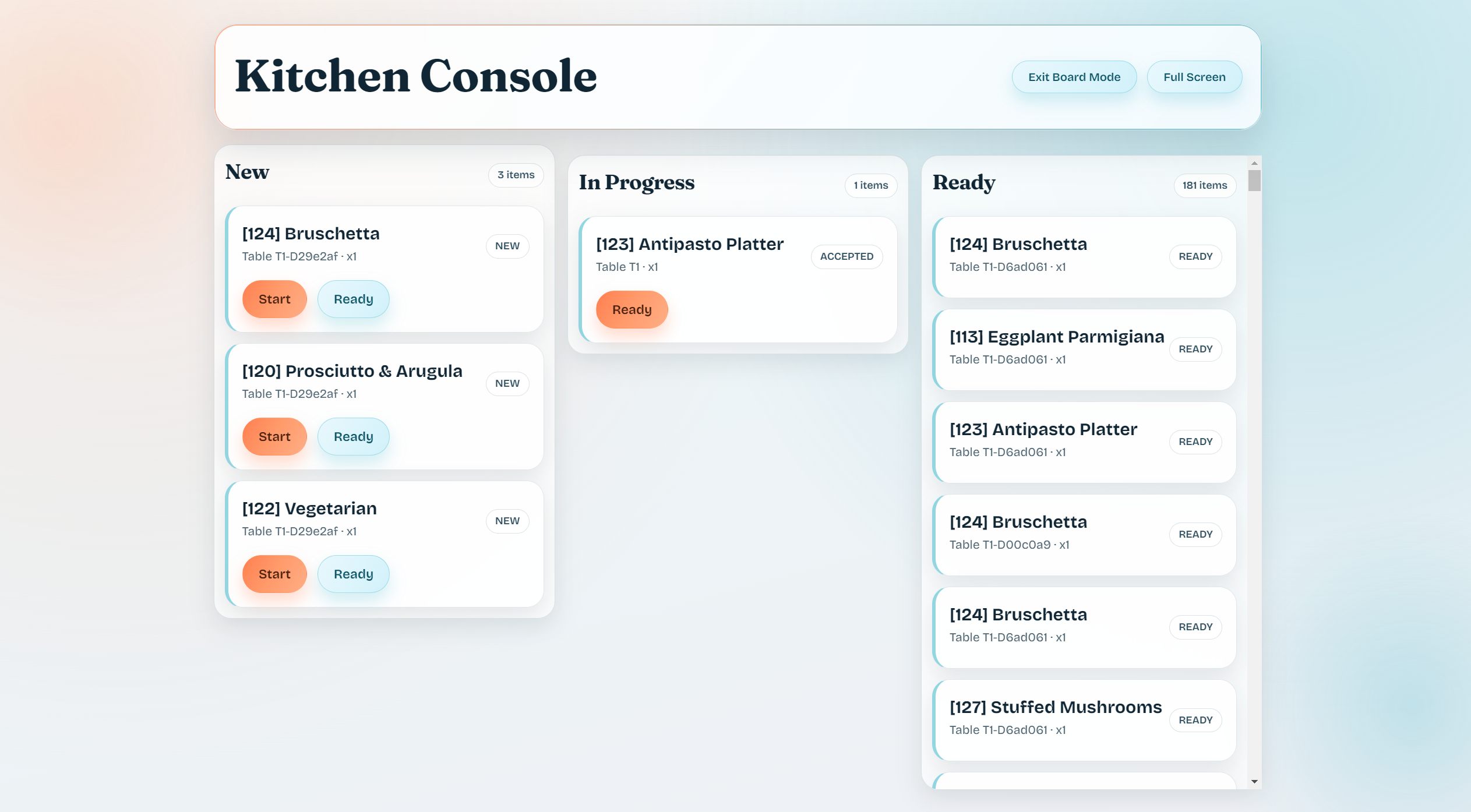
- For each item in To Do:
- Click Start Cooking when work begins
- Click Done when the item is finished
Screenshot (Kitchen Console — example with live orders):
Click to view detail
6) Front Desk Workspace — Confirm, settle & clear
- Open https://table2order.com/cashier
- Confirm Store ID is correct
- Check New Orders and confirm them if cashier confirmation is enabled
- Track active tables in In Progress and Tables
- Use Ready for Payment to mark an order or a whole table as paid
- Click Clear Table after guests leave to release the table
- Use Close Day Check before ending the business day
Screenshot (Cashier Console — example with an unpaid bill):
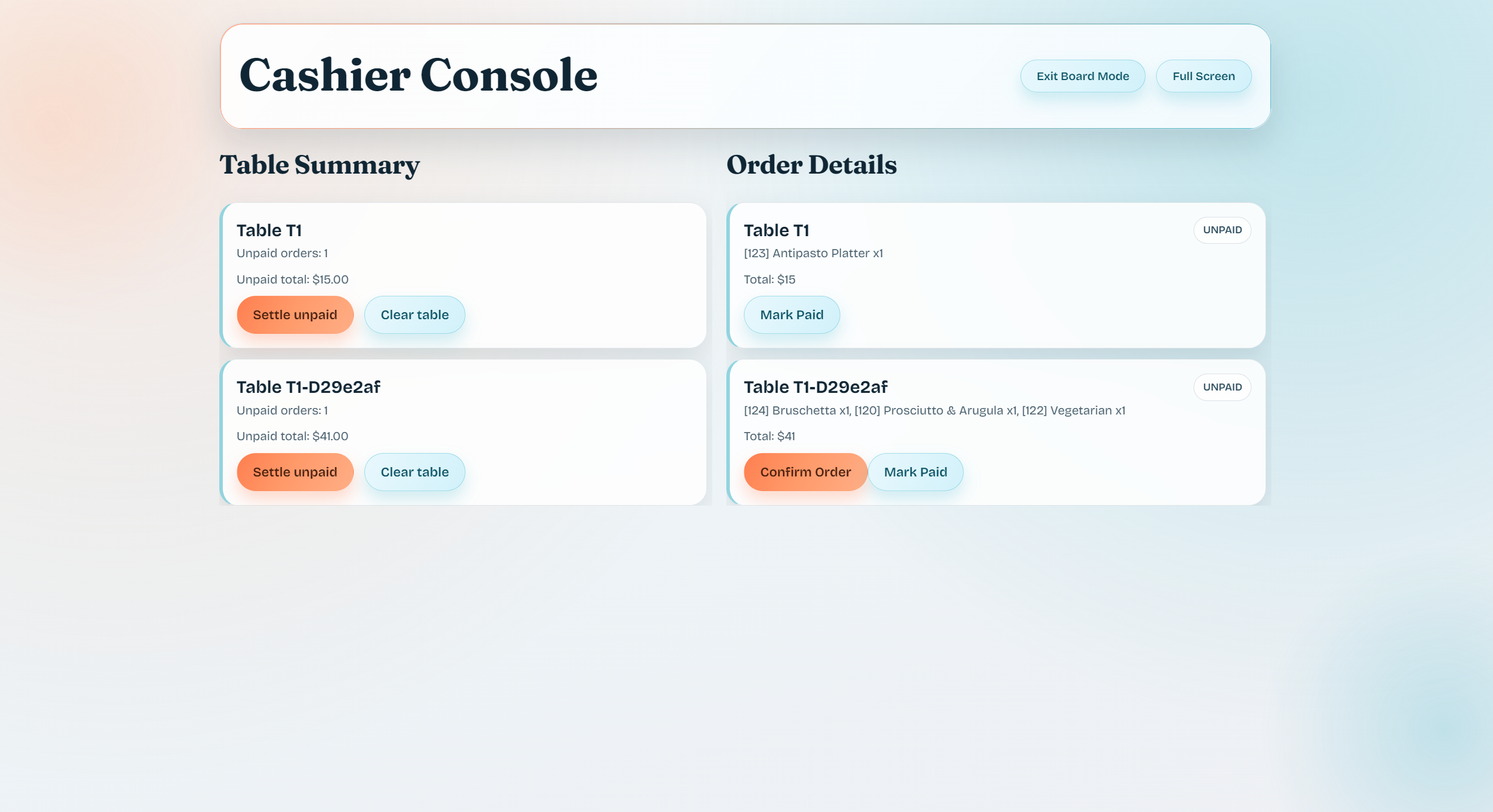
Click to view detail
7) Recommended “Go-Live” checklist (5–15 minutes)
- Create store
- Add 1–2 categories + a few dishes (manual)
- Create table T1 and bind QR
- Scan QR with a phone and submit a test order
- Kitchen: start + finish the items
- Front desk: confirm + settle + clear table
If these 6 steps work, your store is ready for real guests.